
Exam: F5CAB1

|
|||||||||||||||||||||||||||

Details for each exam:
Duration: 30 minutes
Number of items: 30
Cost: $50 USD
The BIG-IP Administration Install, Initial Configuration, and Upgrade (F5CAB1)
exam is one of five exams required to pass to achieve the F5 Certified
Administrator, BIG-IP credential. The exams can be taken in any order:
BIG-IP Administration Install, Initial Configuration, and Upgrade
BIG-IP Administration Data Plane Concepts
BIG-IP Administration Data Plane Configuration
BIG-IP Administration Control Plane Administration
BIG-IP Administration Support and Troubleshooting
Certification Exam description
This is one of five exams required to achieve the F5 Certified Administrator,
BIG-IP credential.
Candidates passing all five exams will be awarded the F5 Certified
Administrator, BIG-IP credential and badge. If a candidate fails any one of the
exams, they need to retake and pass that exam to earn the certification. The
five exams can be taken in any order:
BIG-IP Administration Install, Initial Configuration, and Upgrade
BIG-IP Administration Data Plane Concepts
BIG-IP Administration Data Plane Configuration
BIG-IP Administration Control Plane Administration
BIG-IP Administration Support and Troubleshooting
The F5 BIG-IP Administration Install, Initial Configuration, and Upgrade exam is
designed to test the knowledge, skills, and abilities of the candidate. Passing
this exam shows competence in performing day-to-day operations and basic
deployment, management, security and support of BIG-IP in various application
environments after it has been installed, configured, and implemented.
The F5 BIG-IP Administration Install, Initial Configuration, and Upgrade exam is
designed to test the knowledge, skills, and abilities of the candidate. Passing
this exams shows competence in performing day-to-day operations and basic
deployment, management, security and support of BIG-IP in various application
environments after it has been installed, configured, and implemented.
These exams are not designed to test version-specific BIG-IP features, but
rather assess
knowledge and understanding of F5 technology solutions for which the exam is
developed.
Summary description of the minimally qualified candidate (MQC)
The MQC has a basic understanding of how to install, configure, and upgrade
BIG-IP.
The MQC can do the following without assistance:
Secure BIG-IP
Identify management connectivity and configurations
Explain licensing
Manage software images
Identify which modules are licensed and/or provisioned
F5 Certified Administrator, BIG-IP (F5-CA, BIG-IP) exam blueprint
F5CAB1 Brain Dumps Exam + Online / Offline and Android Testing Engine & 4500+ other exams included
$50 - $25 (you save $25)
Buy Now
QUESTION 1
A BIG-IP Administrator plans to upgrade a BIG-IP device to the latest TMOS version.
Which two tools could the administrator leverage to verify known issues for the target versions?
(Choose two.)
A. F5 End User Diagnostics (EUD)
B. F5 iHealth
C. F5 University
D. F5 Bug Tracker
E. F5 Downloads
Answer: B, D
Explanation:
Comprehensive and Detailed Explanation (Paraphrased from F5 BIG-IP
Administration Install, Initial
Configuration, and Upgrade concepts)
When performing a TMOS upgrade, F5 recommends validating the target software
version to ensure
that the release does not contain defects that may impact system behavior. The
upgrade preparation
process includes checking for known issues, validating compatibility, and
reviewing advisory
information for the intended version. Two primary F5 tools serve this purpose:
B . F5 iHealth iHealth is a cloud-based diagnostic and analysis platform used to
evaluate the operational state of a BIG-IP system.
Administrators upload a QKView file to iHealth to receive an automated
assessment of the system.
As part of upgrade planning, iHealth provides:
Version-specific issue analysis, comparing the systems configuration and
hardware against F5s
internal catalog of published issues.
Upgrade advisories, identifying potential risks such as deprecated features,
module compatibility
concerns, or changes in behavior between TMOS versions.
Checks against known defects, allowing administrators to determine whether the
target TMOS
version contains issues relevant to their deployment.
This aligns with F5s recommended upgrade workflow, where iHealth is used before
upgrading to
confirm system readiness and detect software-level concerns.
D . F5 Bug Tracker
The Bug Tracker is F5s dedicated interface for reviewing software defects across
TMOS releases.
It enables administrators to:
Search for known bugs by TMOS version, module, severity, or defect ID.
Review the status of defects (open, resolved, fixed in later releases).
Identify whether high-impact or security-related issues are associated with the
target upgrade version.
F5 documentation emphasizes reviewing known defects prior to installation of new
software images,
making the Bug Tracker a critical resource for upgrade validation.
Why the other options are not correct
A . F5 End User Diagnostics (EUD)
EUD is used exclusively for hardware diagnostics (ports, memory, fans). It does
not provide softwarerelated
issue verification and is not used for upgrade planning.
C . F5 University
This is a training platform, not an operational tool. It does not provide defect
listings or upgradespecific warnings.
E . F5 Downloads
Although it provides access to software images and release notes, it is not a
tool for identifying
known bugs. Release notes summarize general fixes and features, but systematic
bug verification
requires iHealth or the Bug Tracker.
QUESTION 2
When using the tmsh shell of a BIG-IP system, which command will display the
management-ip address?
A. run /util bash ifconfig mgmt
B. list /sys management-ip
C. show /sys management-ip
Answer: B
Explanation:
Comprehensive and Detailed Explanation (Paraphrased from F5 BIG-IP
Administration / Installation /
Initial Configuration concepts)
Within the BIG-IP Traffic Management Shell (tmsh), system configuration
objects”including the
management IP”are organized under the /sys hierarchy. The management IP address
is a
configurable property stored in the system configuration and can be viewed using
the tmsh list
command, which displays configuration objects and their currently assigned
values.
Why oelist /sys management-ip is correct
The list command in tmsh is used to display configured system values, not
runtime statistics.
The object that holds the management IP settings on BIG-IP systems is located
at:
/sys management-ip
Running the command:
list /sys management-ip
will reveal the settings for the management IP interface, including the address,
netmask, and any
associated attributes.
This is the standard method used during system setup and verification to confirm
the management IP
configuration.
This behavior aligns with BIG-IP administration procedures, where configuration
information is
retrieved using list, while operational data is retrieved using show.
Why the other options are incorrect
A . run /util bash ifconfig mgmt
This command enters the Bash shell, then runs ifconfig to display the management
interface.
While this can show the management interface address, it is not a tmsh-native
command, and the
question specifically asks for a tmsh command.
Administrators use tmsh directly for configuration display rather than leaving
the shell.
C . show /sys management-ip
The show command displays statistics or operational data, not configuration
values.
The management-ip object does not maintain statistics; therefore show does not
return the
configuration details required.
Only the list command reveals stored configuration data such as IP address and
netmask.
QUESTION 3
The BIG-IP Administrator received a ticket that an authorized user is attempting
to connect to the
Configuration Utility from a jump host and is being denied.
The HTTPD allow list is configured as:
sys httpd {
allow { 172.28.31.0.255.255.0 172.28.65.0.255.255.0 }
}
The jump host IP is 172.28.32.22.
What command should the BIG-IP Administrator use to allow HTTPD access for this
jump host?
A. modify /sys httpd allow replace-all-with { 172.28.32.22 }
B. modify /sys httpd allow delete { 172.28.31.0.255.255.0 172.28.65.0.255.255.0
}
C. modify /sys httpd allow add { 172.28.32.22 }
Answer: C
Explanation:
The HTTPD allow list controls which IP addresses or subnets may access the
Configuration Utility
(TMUI) on the BIG-IP system. The Administrator already has two subnets allowed
and needs to add a
single host IP to the existing list.
The object /sys httpd allow supports actions such as add, delete, and
replace-all-with.
Because the goal is to add one more entry without removing the existing
permitted subnets, the
correct command is:
modify /sys httpd allow add { 172.28.32.22 }
This appends the new host to the existing list while preserving the previously
configured networks.
Why the other options are incorrect:
Option A (replace-all-with) would overwrite the entire allow list, removing
existing permitted
subnets”unacceptable.
Option B (delete) would remove the existing networks and not add the required
host.
Therefore, the correct administrative action is to add the jump hosts IP.
QUESTION 4
The Configuration Utility of a BIG-IP device is currently accessible via its
management IP 10.53.1.245 from all VLANs.
The BIG-IP Administrator needs to restrict access so only hosts from the
10.0.0.0 subnet can access the Configuration Utility.
Which TMSH command accomplishes this?
A. (tmos)# create /net acl MGMT.HTTP rule add { (permit tcp 10.0.0.0 0.0.0.255
host 10.53.1.245 http) }
B. (tmos)# modify /ltm httpd allow replace-all-with {10.0.0.0}
C. (tmos)# create /net acl MGMT.HTTP rule add { (permit tcp 10.0.0.0 10.53.1.245
http) (deny ip any any http) }
D. (tmos)# modify /sys httpd allow replace-all-with {10.0.0.0}
Answer: D
Explanation:
BIG-IP controls access to the web-based Configuration Utility (TMUI) through the
/sys httpd allow
list. This parameter specifies which client IPs or subnets may initiate
HTTP/HTTPS connections to the
management interface.
To restrict TMUI access to only the 10.0.0.0 subnet:
The correct method is to modify the HTTPD allow list so that it contains only
this subnet.
This requires replacing the entire current list with the new subnet using:
modify /sys httpd allow replace-all-with {10.0.0.0}
This ensures that only clients within 10.0.0.0 can reach the Configuration
Utility.
Why the other options are incorrect:
Options A and C create network ACL objects under /net acl, which apply to
data-plane traffic, not
management-plane TMUI access. TMUI access is not controlled by LTM ACLs but by
the HTTPD allow directive.
Option B is incorrect syntax and references /ltm httpd, which is not the proper
object; the correct
hierarchy is /sys httpd.
Thus, only modifying the /sys httpd allow list achieves the required
restriction.
QUESTION 5
modification]
An organization is planning to upgrade a BIG-IP system from 16.1.x to 17.1.x.
For a successful upgrade, the Service Check Date must be equal to or newer than
the License Check Date required for 17.1.x.
Which command will show the Service Check Date on the BIG-IP system being
upgraded?
A. grep "Service check date" /config/bigip.license
B. grep "Service check date" /config/bigip.conf
C. grep "Service check date" /config/svc_chk_date.dat
D. grep "Service check date" /config/BigDB.dat
Answer: A
Explanation:
BIG-IP licensing information, including the Service Check Date, is stored in the
file:
/config/bigip.license
This file contains all license attributes downloaded from the F5 licensing
server, including:
License key
Licensed modules
Useful life date
Service check date
The Service Check Date determines whether the system is eligible for upgrades to
specific TMOS
versions. When reviewing upgrade readiness, administrators extract this value
directly from the
license file with:
grep "Service check date" /config/bigip.license
Why the other options are incorrect:
/config/bigip.conf stores BIG-IP configuration objects, not license metadata.
/config/svc_chk_date.dat is not a valid file in the licensing system; it does
not contain license
parameters.
/config/BigDB.dat stores internal database values, not licensing attributes.
Thus, only the bigip.license file contains the correct licensing information
required for verifying upgrade eligibility.
Buy Complete
Students Feedback / Reviews/ Discussion
Weidner Steve 5 weeks, 1 day ago - Egypt
Thanks for helping me with this dump to pass my exam :) Passed with a score of
862
upvoted 4 times
Rojas Jesus 1 month ago - Peru
Passed the exam today
Just only 1 of all question have not seem.
Thanks Team
upvoted 3 times
David Loomis 1 month, 1 week ago - United States - Georgia
this is a good dump then
upvoted 3 times
Omkar Harsoo 1 month, 2 weeks ago - South Africa
Passed a few days ago with 770 - about 70-80% from here.
Solid experience with in tune
upvoted 2 times
Takeshi Kobayashi 2 months ago - Japan
Just passed with 886, i have some experience with in tune but these dumps should
be enough to pass
upvoted 11 times
logged members Can Post comments / review and take part in Discussion
Certkingdom Offline Testing Engine Simulator Download
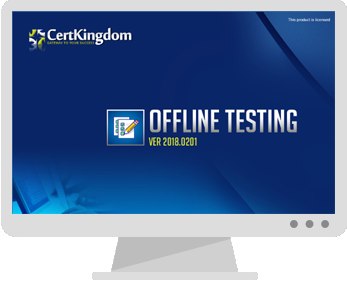
Prepare with yourself how CertKingdom Offline Exam Simulator it is designed specifically for any exam preparation. It allows you to create, edit, and take practice tests in an environment very similar to an actual exam.
Supported Platforms: Windows-7 64bit or later - EULA | How to Install?
FAQ's: Windows-8 / Windows 10 if you face any issue kinldy uninstall and reinstall the Simulator again.
Download Offline Simulator
Certkingdom Testing Engine Features
- Certkingdom Testing Engine simulates the real exam environment.
- Interactive Testing Engine Included
- Live Web App Testing Engine
- Offline Downloadable Desktop App Testing Engine
- Testing Engine App for Android
- Testing Engine App for iPhone
- Testing Engine App for iPad
- Working with the Certkingdom Testing Engine is just like taking the real tests, except we also give you the correct answers.
- More importantly, we also give you detailed explanations to ensure you fully understand how and why the answers are correct.
Certkingdom Android Testing Engine Simulator Download
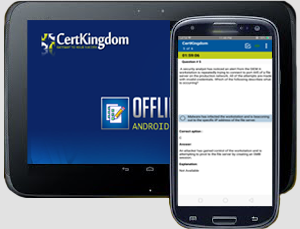
Take your learning mobile android device with all the features as desktop offline testing engine. All android devices are supported.
Supported Platforms: All Android OS EULA
Install the Android Testing Engine from F5 play store and download the app.ck from certkingdom website android testing engine download

Certkingdom Android Testing Engine Features
- CertKingdom Offline Android Testing Engine
- Make sure to enable Root check in Playstore
- Live Realistic practice tests
- Live Virtual test environment
- Live Practice test environment
- Mark unanswered Q&A
- Free Updates
- Save your tests results
- Re-examine the unanswered Q & A
- Make your own test scenario (settings)
- Just like the real tests: multiple choice questions
- Updated regularly, always current
